
Logo
UAV / UGV / USV
UniGCS   
Mixed-Source Ground Station Software

UniGCS, specially designed for Mavlink-based products, SIYI & third-party products, helps UAV, UGV & USV operators
control the robot as easily as using a mobile phone. Streamlined function layout and operational logic,
One-Stop parameter tuning and control. Integrates RTK, intelligent route planning, terrain-following,
point-to-point navigation, AI recognition & tracking, gimbal controls, integrated attitude data,
ESC information display functions, make drone and intelligent robotics industries smarter, simpler, and more professional.

Open and Inclusive
To Explore Infinity

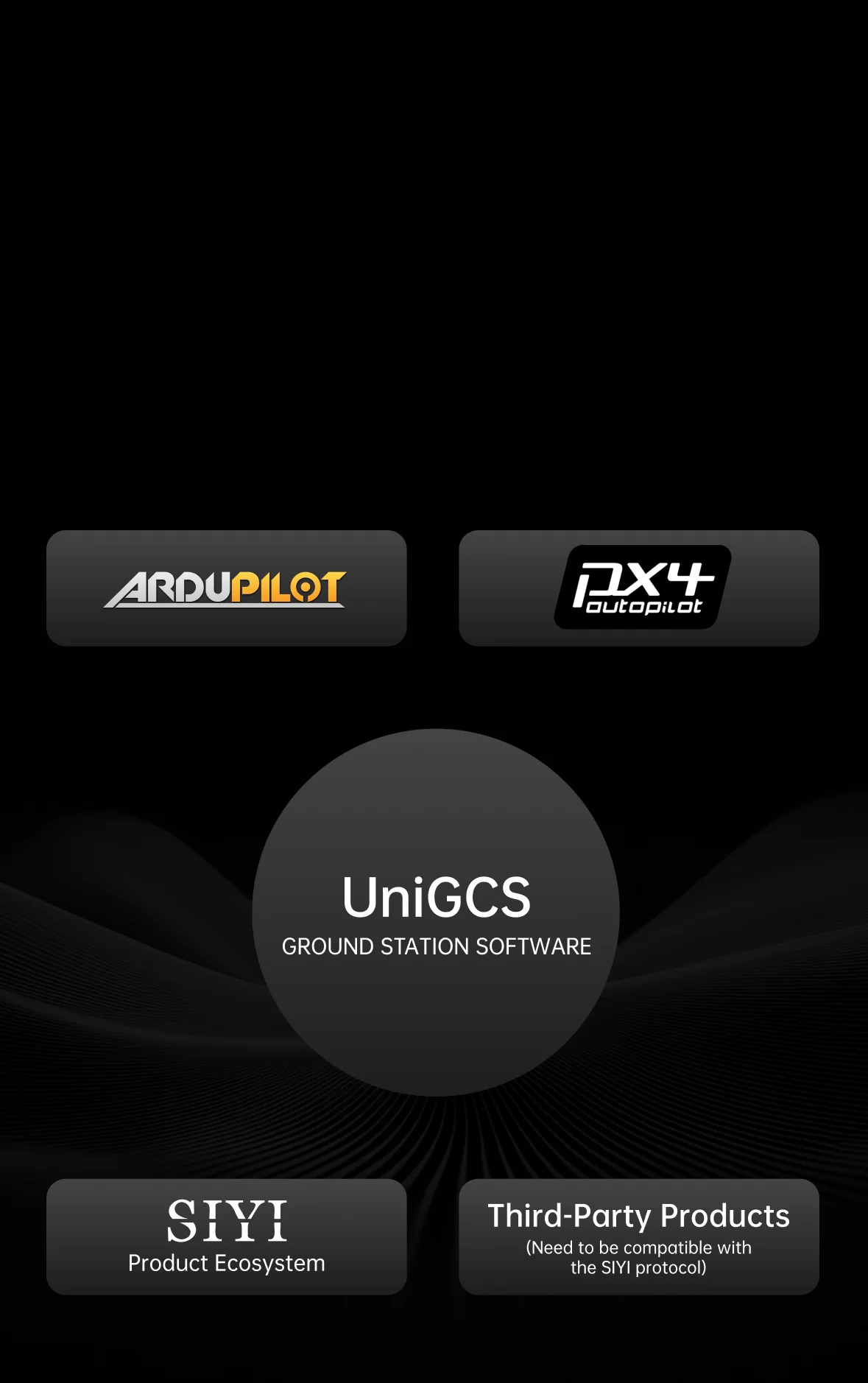
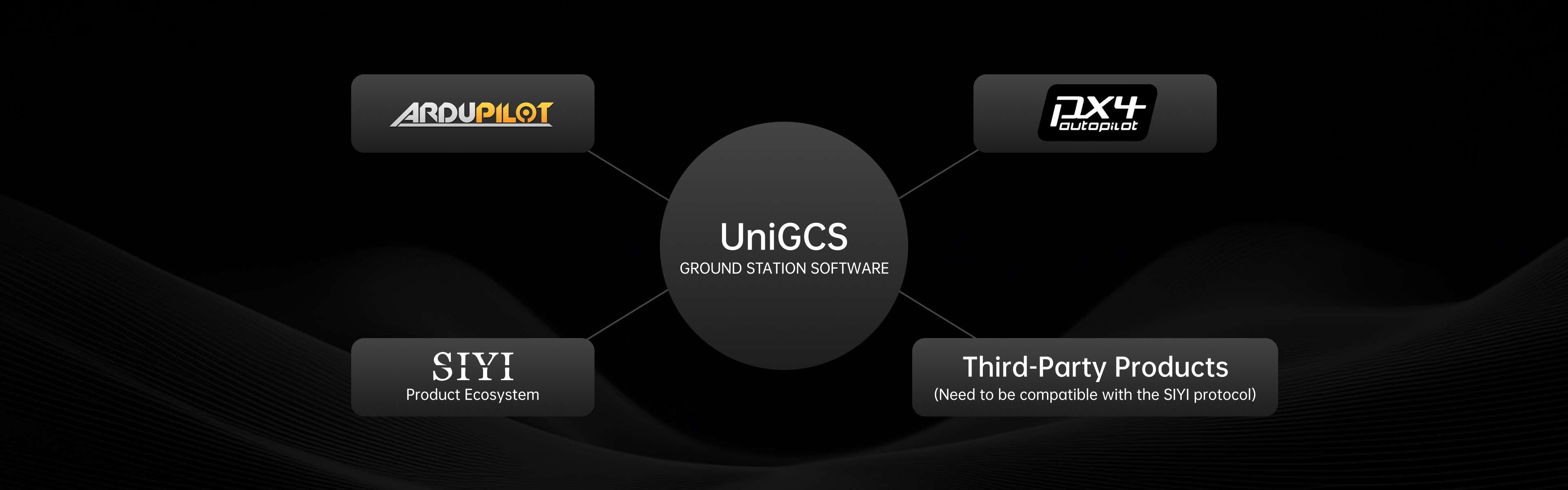
The core idea of UniGCS is to build a highly compatible and scalable platform with an open ecosystem.
An open ecosystem helps create more innovative applications to further expand drone application scenarios,
and helps user enjoy the infinity of technology with various choices.
Open-Source Ecosystem

Open-Source Ecosystem

Compatible with Mavlink-based products

Commercial Ecosystem

Commercial Ecosystem

Compatible with SIYI and third-party products

Open SDK [1]

Open SDK [1]

UniGCS SDK will help users independently develop software solutions for personalized needs

One-Stop Parameter Tuning & Control

Major Update in v3.0: Enhanced flight controller parameter tuning capabilities, achieving one-stop
parameter adjustment for optical pod, link & controller, flight controller and propulsion systems.
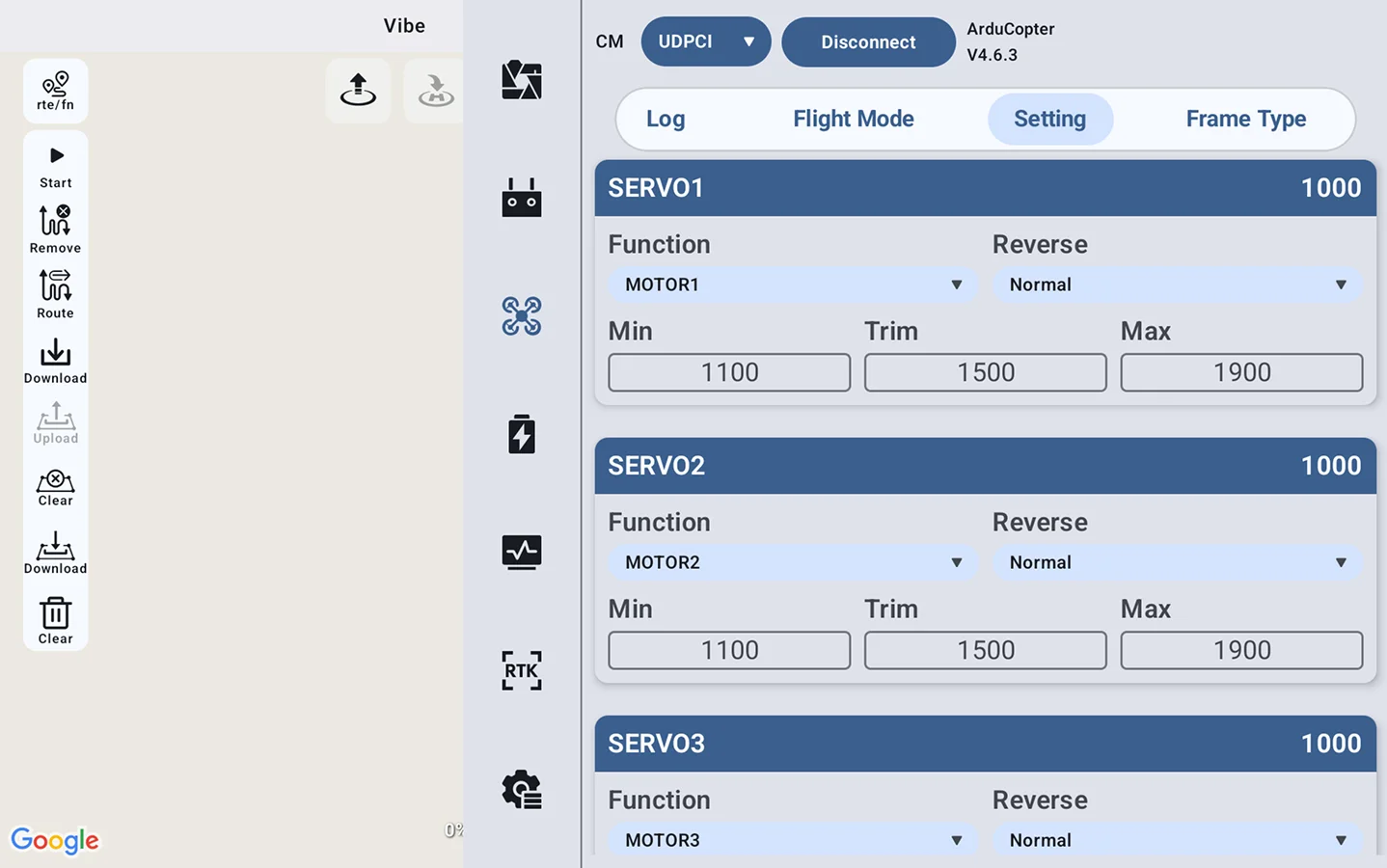
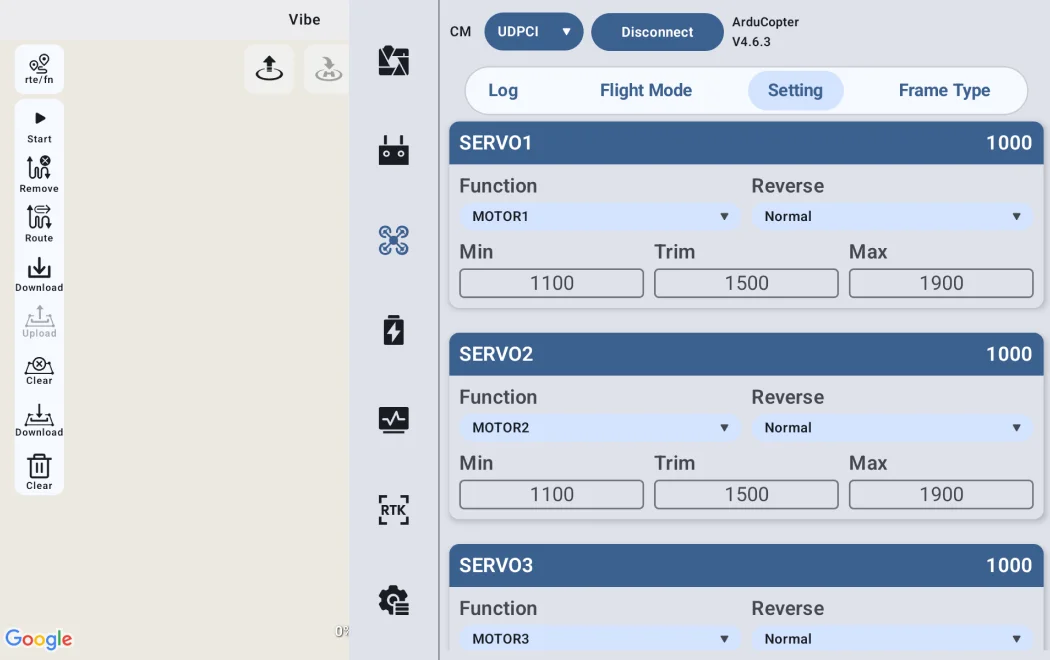
<div>Upgrade: Flight Controller Tuning</div>

Upgrade: Flight Controller Tuning

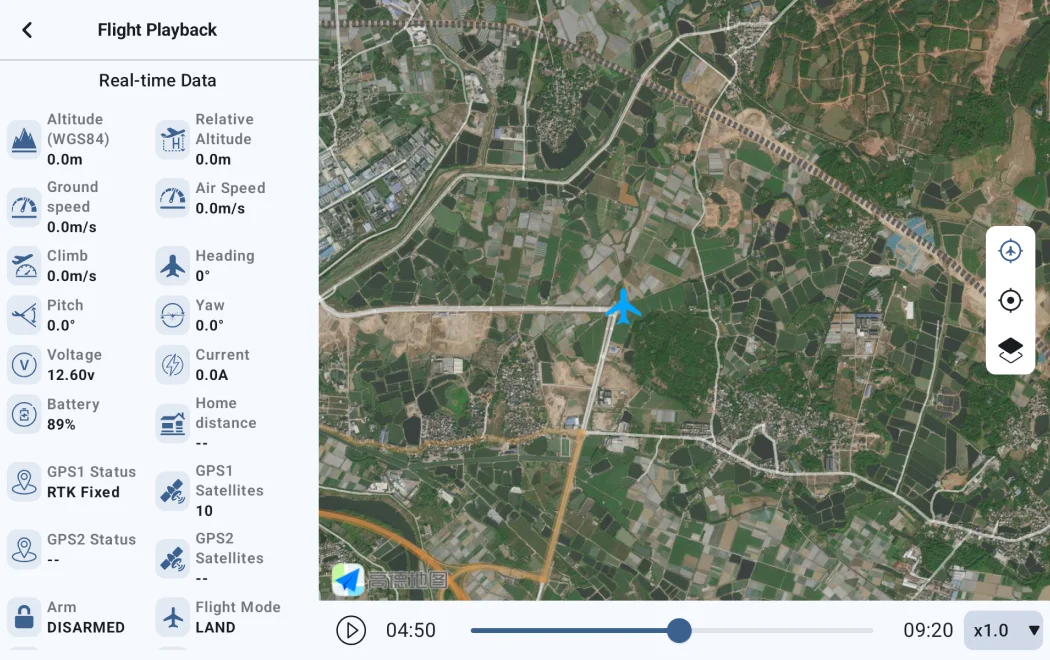
<div>Flight Records Telemetry</div>

Flight Records Telemetry

<div>Support Customizable OSD Styles</div>

Support Customizable OSD Styles

Various Intelligent Route Planning

UniGCS supports five different intelligent route modes, includes waypoint mission, mapping route,
oblique photography route, corridor route and bevel route.
<h3>Waypoint Mission</h3>

Waypoint Mission

<div>Mapping Route</div>

Mapping Route

<div>Oblique Photography Route</div>

Oblique Photography Route

<div>Bevel Route [3]</div>

Bevel Route [3]

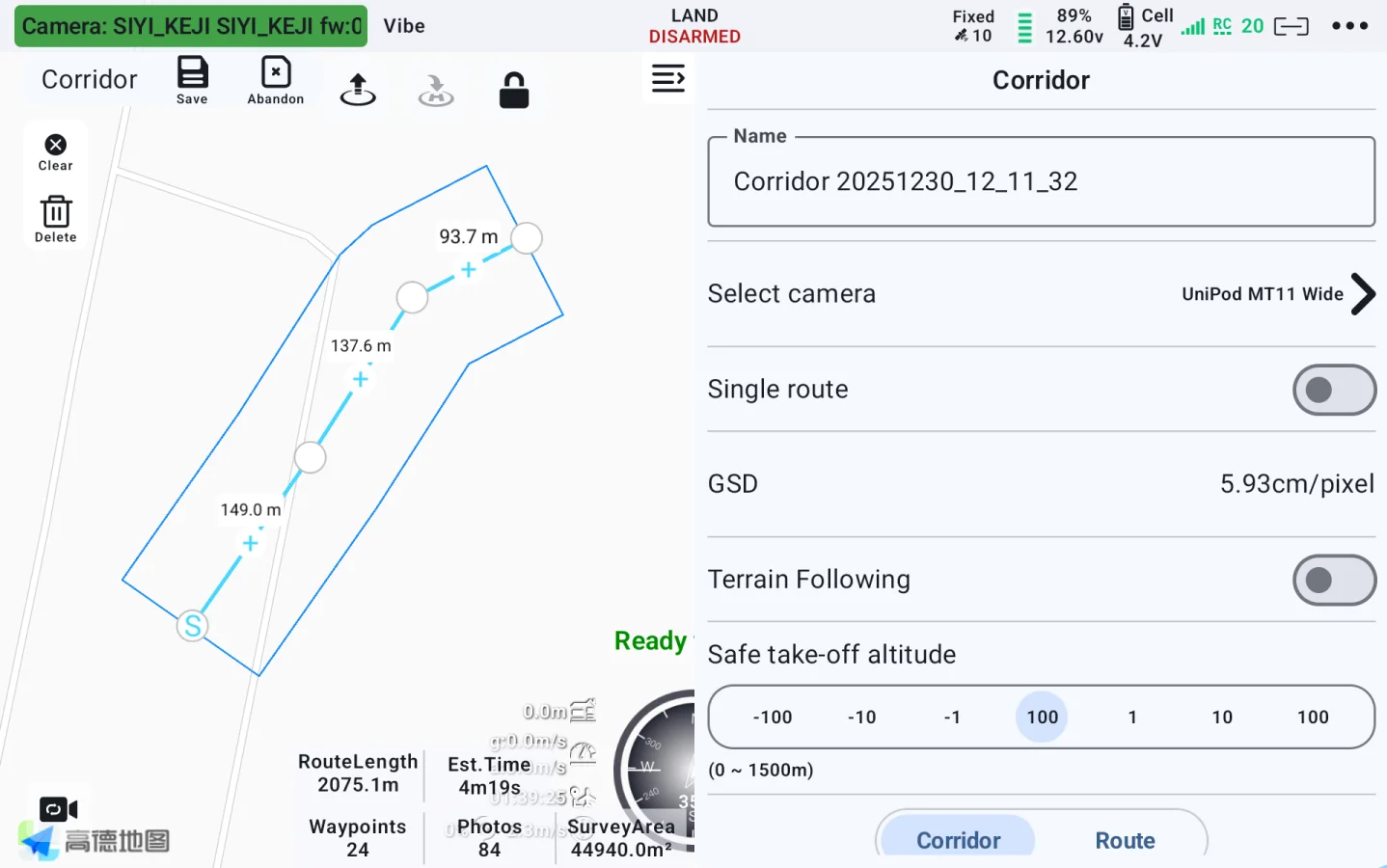
<div>Corridor Route</div>

Corridor Route

New Flight Route Upgrade

Added display of photo points, camera field of view, and more.

During flight missions, photo point locations are now automatically recorded and marked, facilitating traceability of inspection task issue points.

Simpler Operation

Diverse intelligent route functions, make your missions easier and freer.

Flight check
Route information estimation
Route progress display
Route tracking
Customizable voice broadcast
ESC information display
Waypoint jump
Resume mission from waypoint
Point-to-point navigation
KML / Route import
Route export
Cloud route

Convenient Flight Control To Secure Every Missions

Real-time OSD, flight controller parameter configuration, one-button click, geofence, etc.

Gimbal Camera Control, Master Overall Situation

HD image display, one-click camera control, real-time file management, integrated altitude data, etc.

AI Recognition & Tracking
Accurately Lock Every Moment

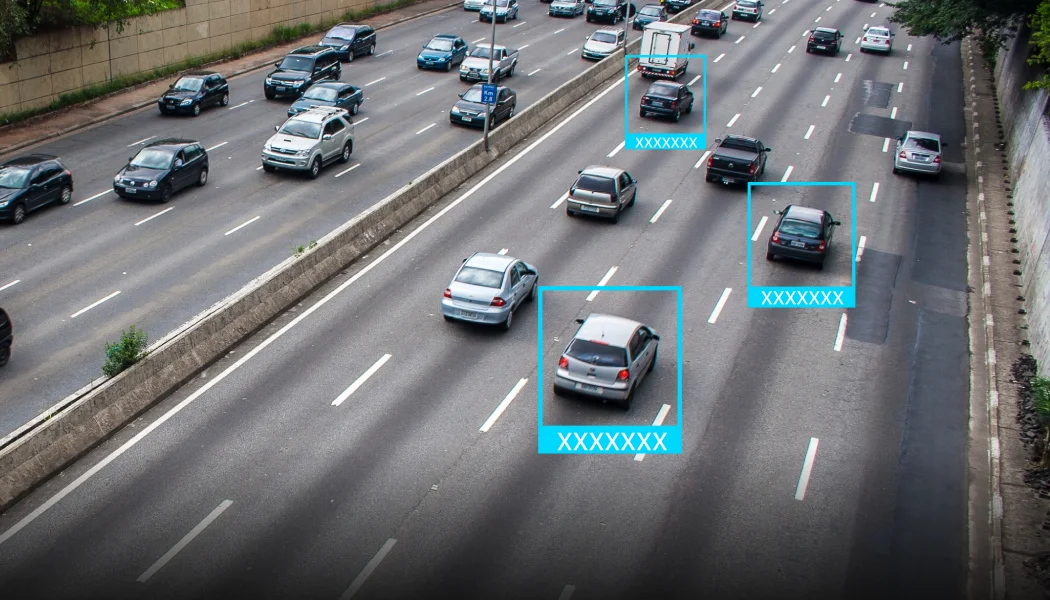
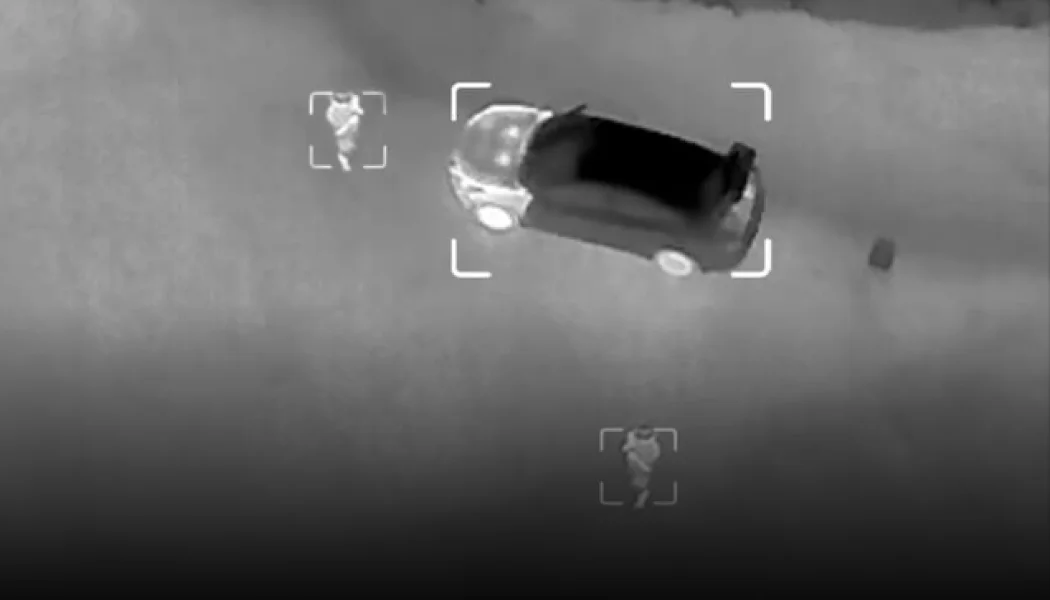
UniGCS provides powerful AI recognition and tracking functions, which can perform point-to-track and
box tracking to always catch the target. AI models support fast switching among insulators,
thermal imaging, smoke, hull, flame, and standard to adapt to various missions.
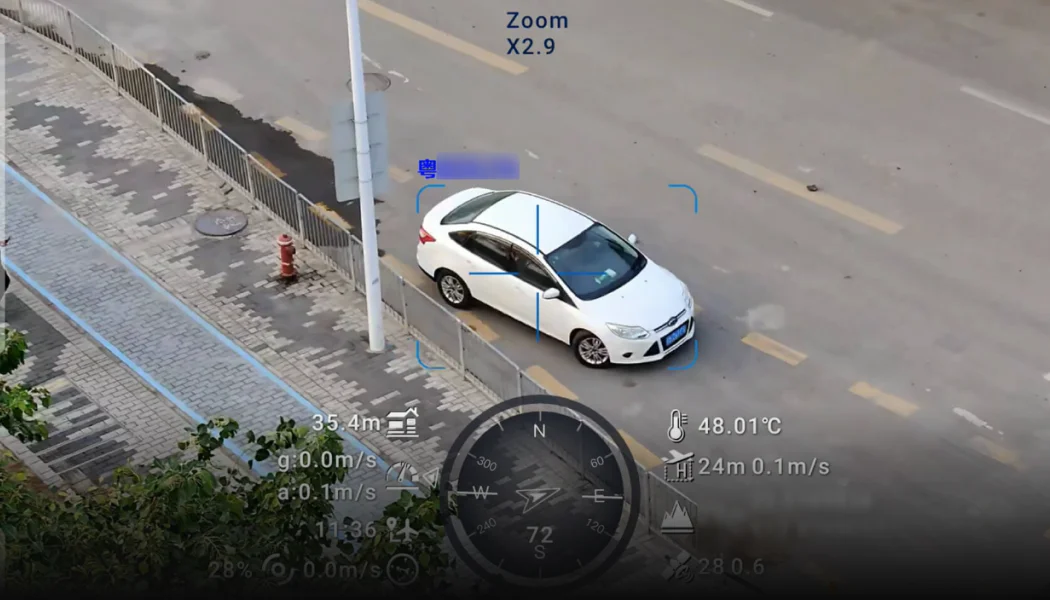
There is also the high-efficiency license plate recognition function.
AI Recognition & Tracking

AI Recognition & Tracking

Point-to-track and box tracking

AI Model Switch

AI Model Switch

Support switching between human, car, insulators, thermal imaging, smoke, hull and fire models.

AI License Plate Recognition

AI License Plate Recognition

Enable / disable license plate recognition.

Precise Propulsion System Tuning

One-stop integration for ESC calibration, motor testing, and real-time ESC information display.

Based on the ESC model, select the throttle type output by the flight controller, along with the minimum and maximum throttle ranges, ensuring that all ESCs respond uniformly to flight controller signal inputs.

Multiple Links, Flexible Combinations

image

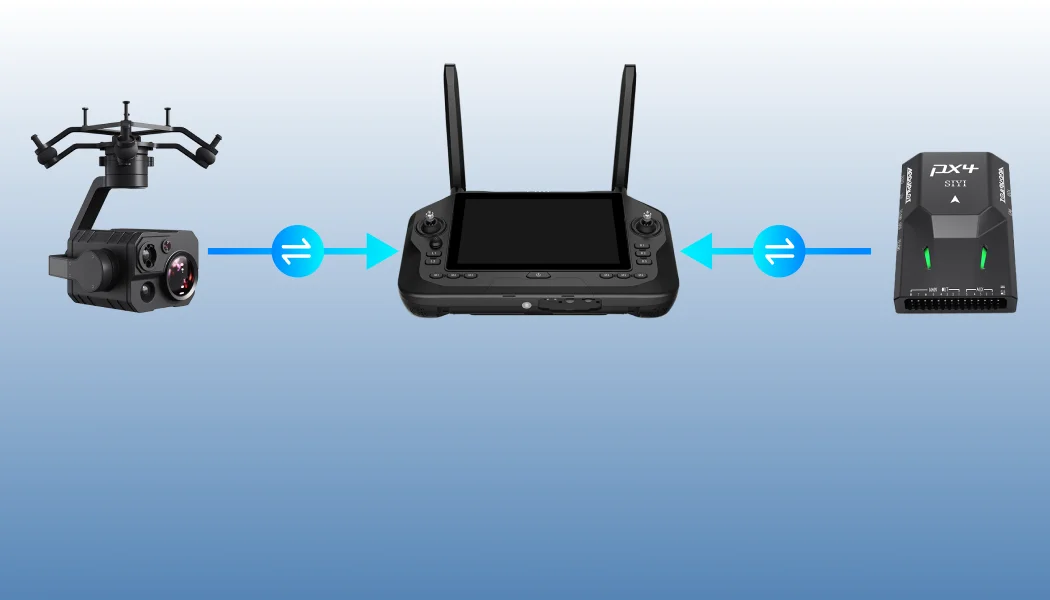
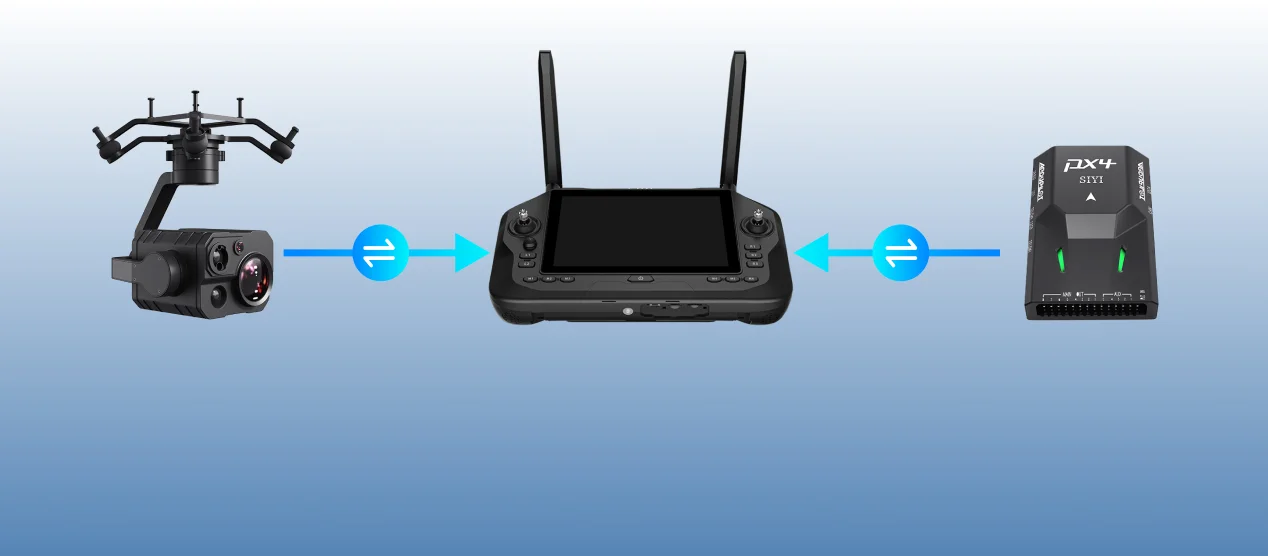
Support multiple datalink equipment connection methods, RTSP video stream gimbal camera (optical pod), and other equipment.

image

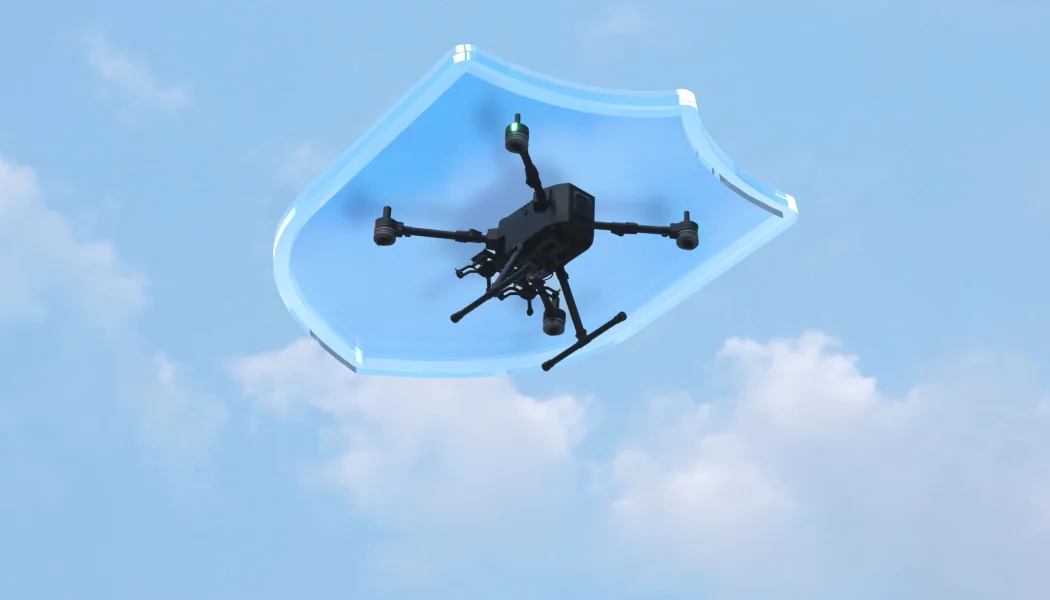
Intelligent fail-safe protection to ensure flight safety.

image

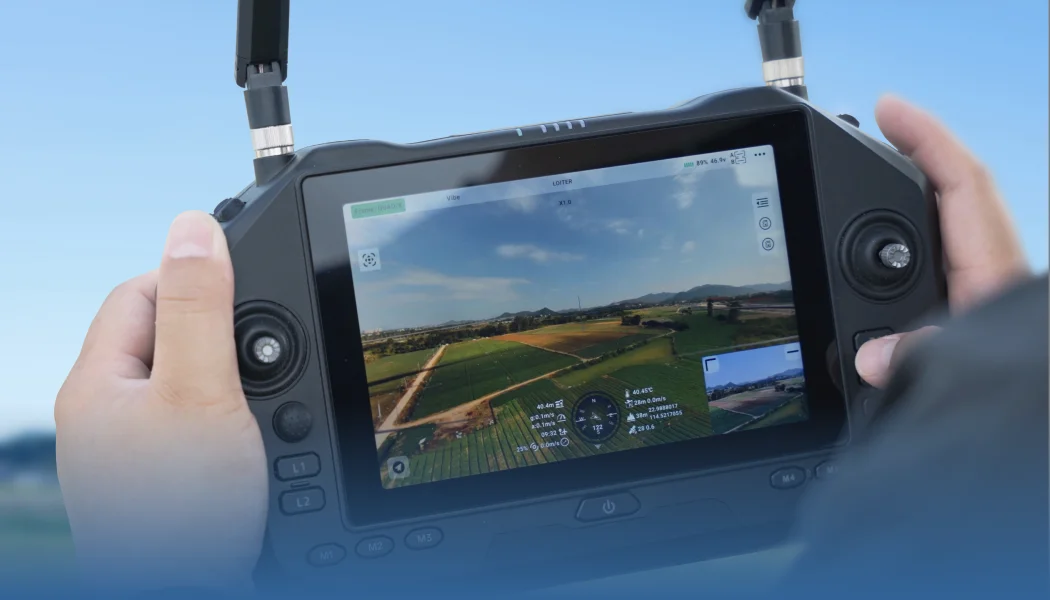
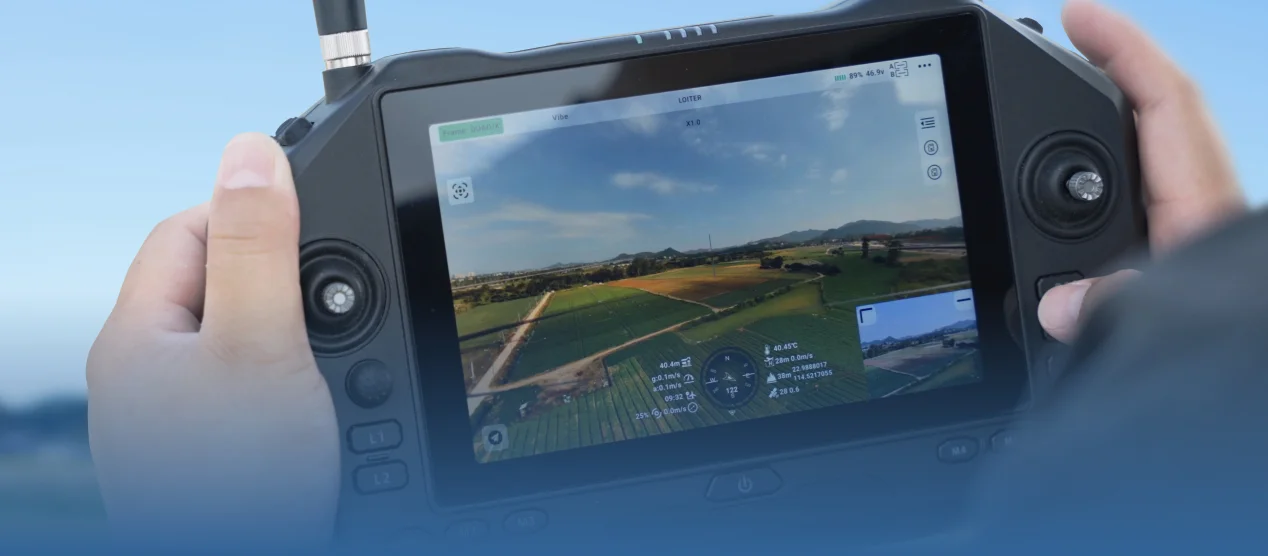
Real-time link status monitoring.

image

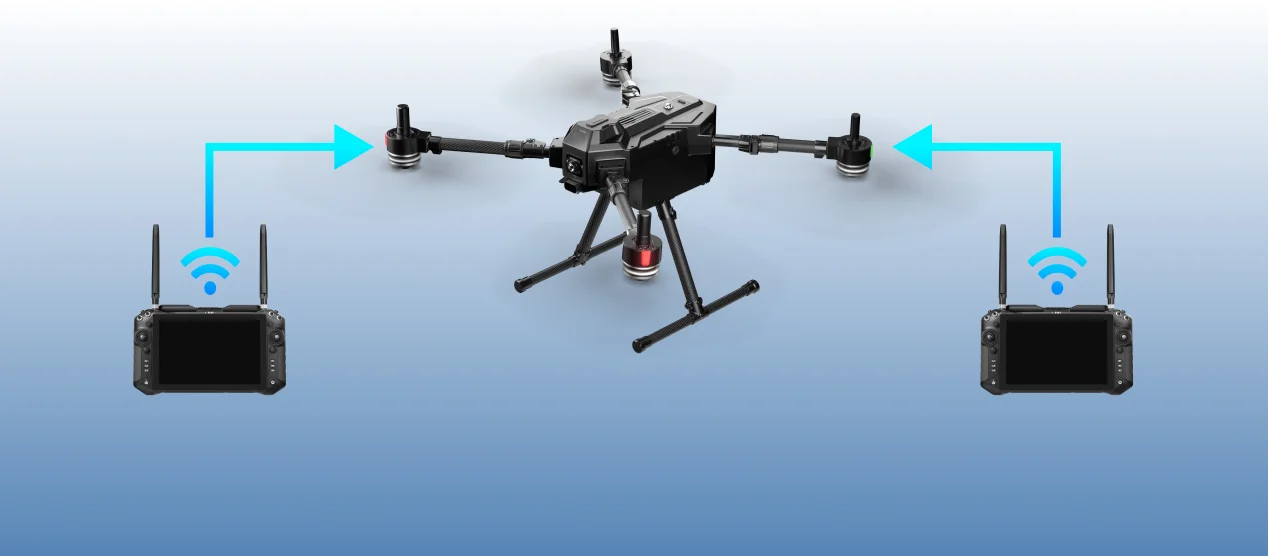
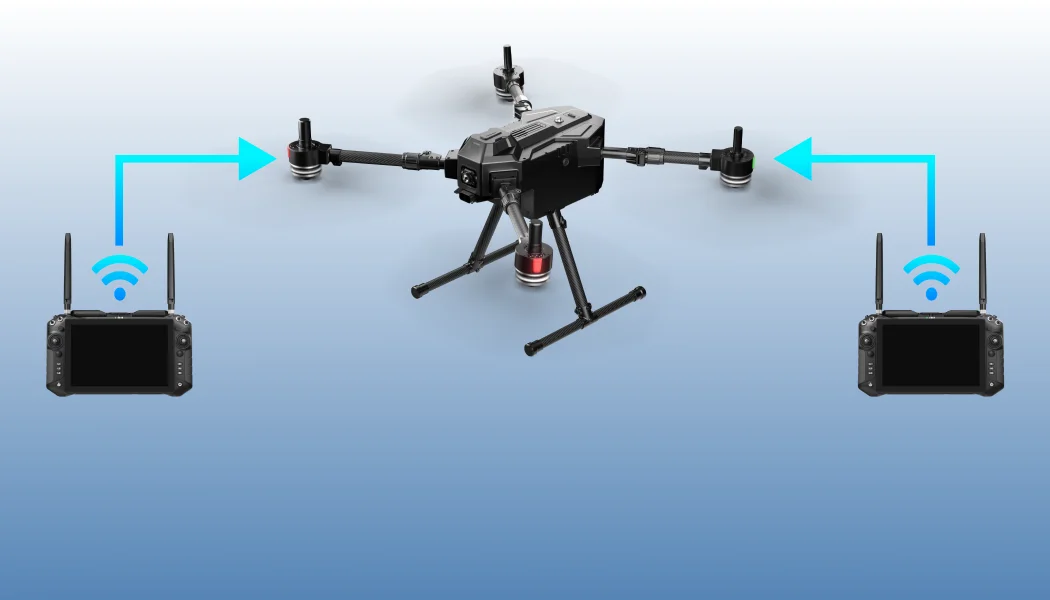
Dual operator function, more efficient team collaboration.

Software - UniGCS - PC - 19.webp

Product Support

Compatible with Mavlink-based products, SIYI & third-party products.
Open SDK, help users independently develop software solutions for personalized needs.


[1] SDK support will be released later.
[2] Picture resolution depends on camera models, please refer to your camera model in actual use.
[3] Current version only support vertical route, bevel route will be available in subsequent versions.
[4] DEM elevation data does not cover global data, please check the accuracy and security in advance before enabling this function.

banner
UAV / UGV / USV
UniGCS
Mixed-Source Ground Station Software

UniGCS, specially designed for Mavlink-based products, SIYI & third-party products, helps UAV, UGV & USV operators control the robot as easily as using a mobile phone. Streamlined function layout and operational logic, One-Stop parameter tuning and control. Integrates RTK, intelligent route planning, terrain-following, point-to-point navigation, AI recognition & tracking, gimbal controls, integrated attitude data, ESC information display functions, make drone and intelligent robotics industries smarter, simpler, and more professional.

Open and Inclusive
To Explore Infinity

The core idea of UniGCS is to build a highly compatible and scalable platform with an open ecosystem. An open ecosystem helps create more innovative applications to further expand drone application scenarios, and helps user enjoy the infinity of technology with various choices.
Open-Source Ecosystem

Open-Source Ecosystem

Compatible with Mavlink-based products

Commercial Ecosystem

Commercial Ecosystem

Compatible with SIYI and third-party products

Open SDK [1]

Open SDK [1]

UniGCS SDK will help users independently develop software solutions for personalized needs.

One-Stop Parameter Tuning & Control

Major Update in v3.0: Enhanced flight controller parameter tuning capabilities, achieving one-stop parameter adjustment for optical pod, link & controller, flight controller and propulsion systems.

Upgrade: Flight Controller Tuning
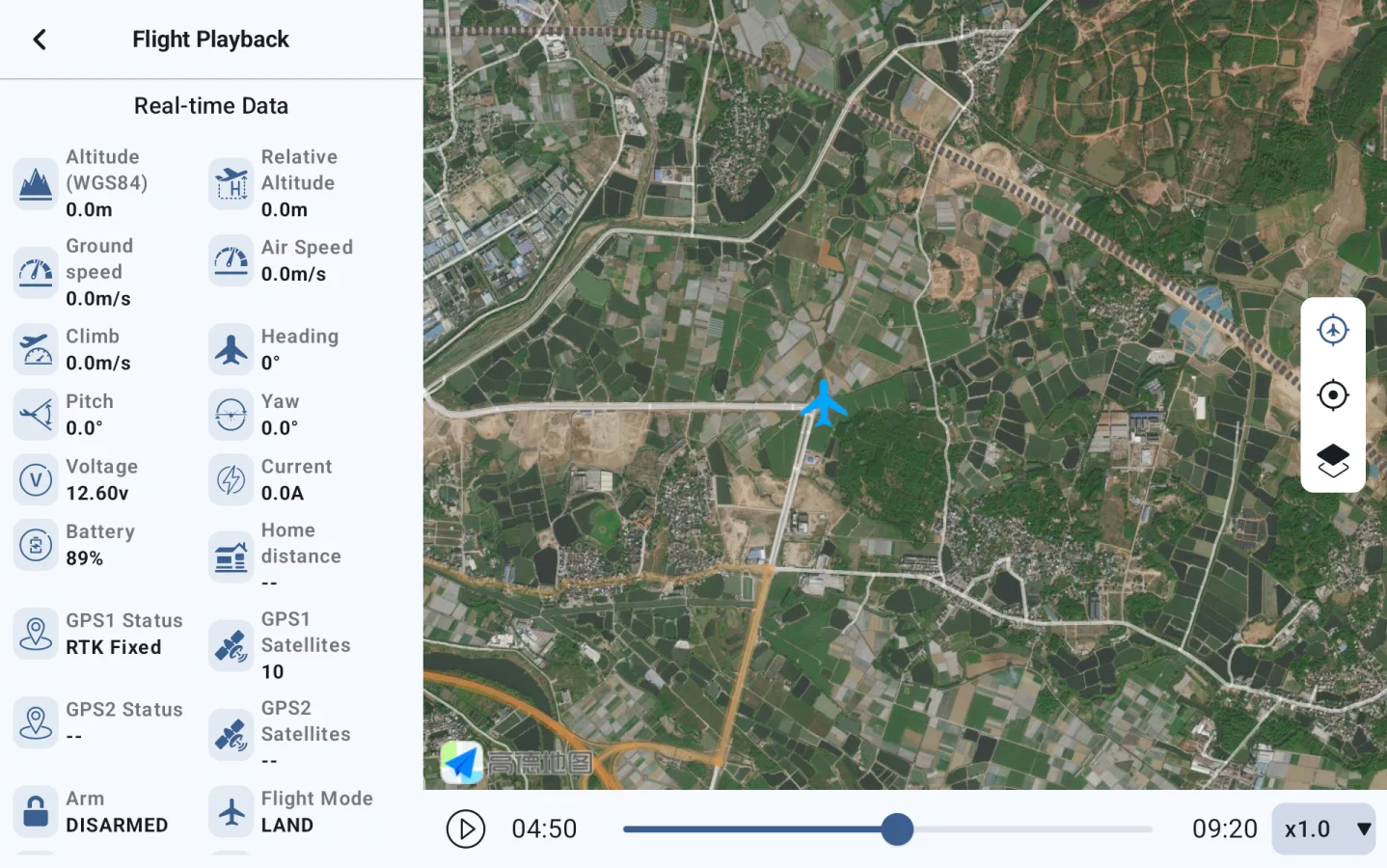
<p>Upgrade: Flight Controller Tuning</p>

Flight Records Telemetry

<p>Flight Records Telemetry</p>

Support Customizable OSD Styles

<p>Support Customizable OSD Styles</p>

Various Intelligent Route Planning

UniGCS supports five different intelligent route modes, includes waypoint mission, mapping route, oblique photography route, corridor route and bevel route.
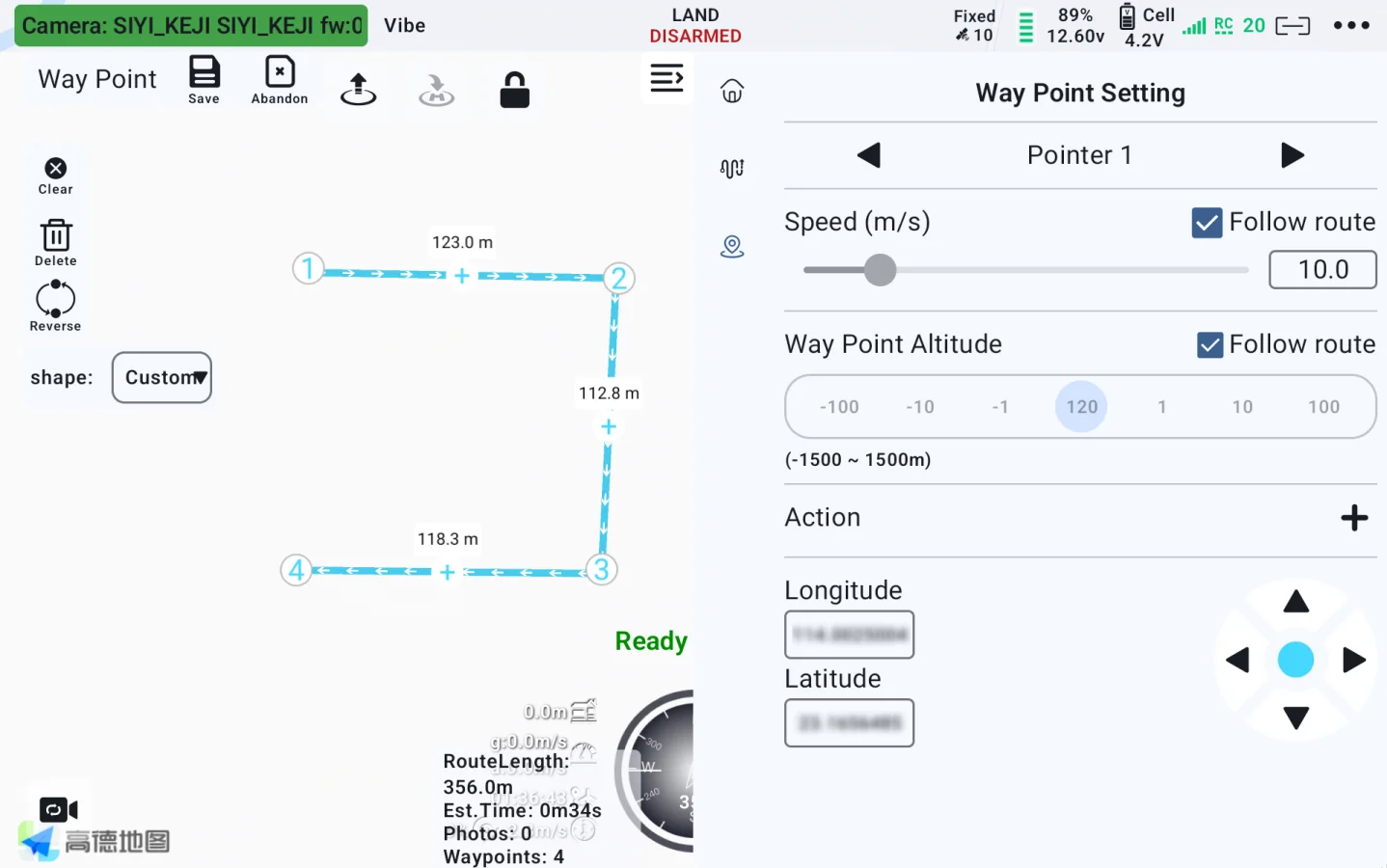
Empower Professional Mapping Operation

Waypoint Mission

A route that follows predefined waypoints in sequence. Each waypoint contains parameters such as coordinates and altitude. It is suitable for accurately executing point-specific tasks (inspection, fixed-point shooting) and offers high flexibility with customizable paths.

Mapping Route

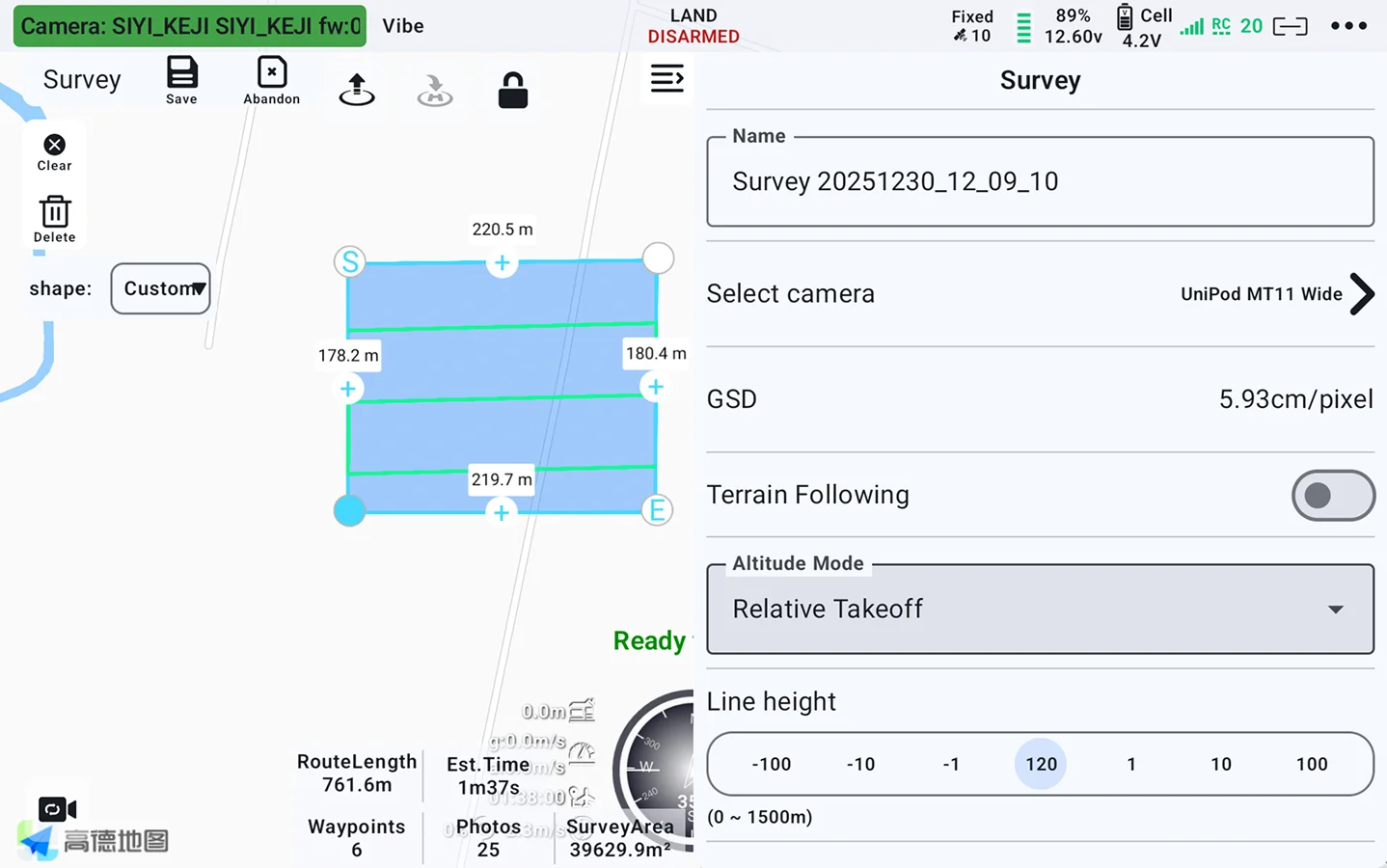
A flight path where the drone's camera is vertically pointed at the ground. The captured imagery can be directly used to create orthophoto maps, accurately reflecting the planar position and shape of surface features. It is suitable for large-scale map surveying, land planning, and similar applications.

Oblique Photography Route

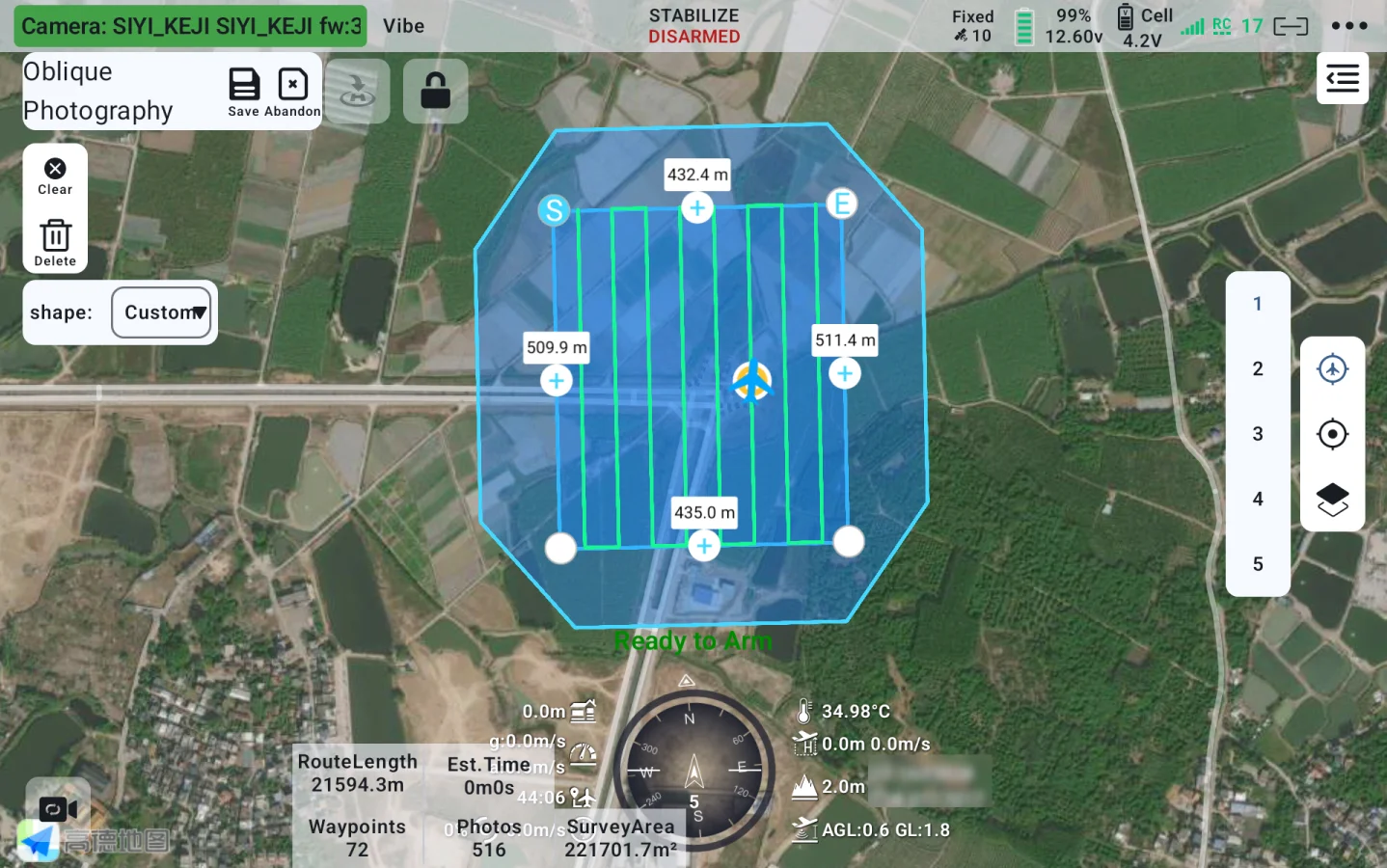
Routes captured from different angles (vertical + oblique) can comprehensively capture details such as building facades, primarily used for high-precision 3D modeling to restore the three-dimensional form of objects.

Bevel Route [3]

This route pattern is specifically engineered for vertical and sloped surfaces (e.g. retaining walls, embankments). The flight path maintains a constant offset distance relative to the surface contour, ensuring high-resolution imaging of structural details.

Corridor Route

Strip-shaped parallel flight lines for surveying elongated areas (e.g., roads, rivers). Area coverage is achieved by mosaicking multiple strips, requiring controlled spacing to maintain side overlap.

New Flight Route Upgrade

Added display of photo points, camera field of view, and more.

During flight missions, photo point locations are now automatically recorded and marked, facilitating traceability of inspection task issue points.

Simpler Operation

Diverse intelligent route functions, make your missions easier and freer.

Flight check
Route information estimation
Route progress display
Route tracking
Customizable voice broadcast
ESC information display
Waypoint jump
Resume mission from waypoint
Point-to-point navigation
KML / Route import
Route export
Cloud route

Convenient Flight Control To Secure Every Missions

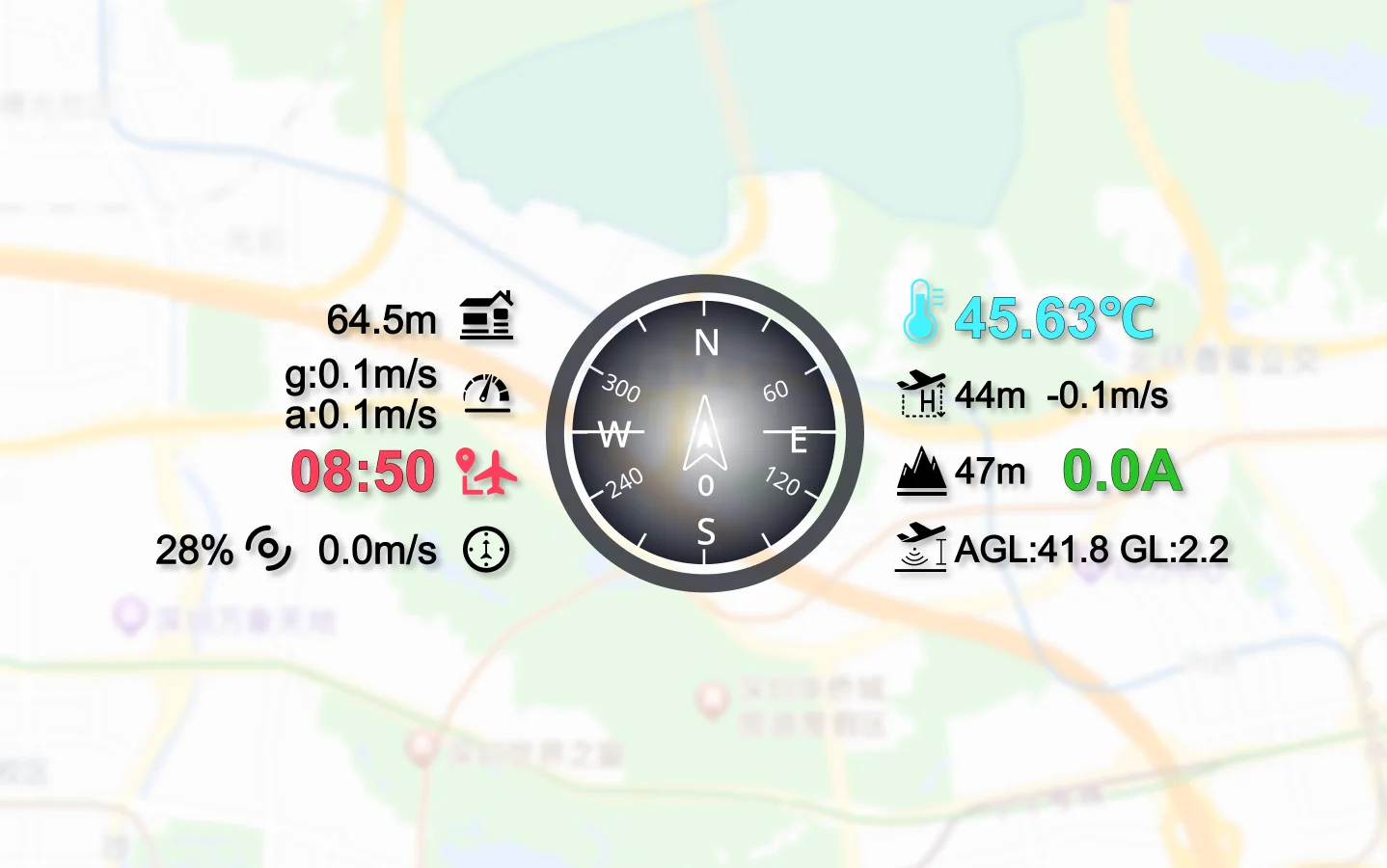
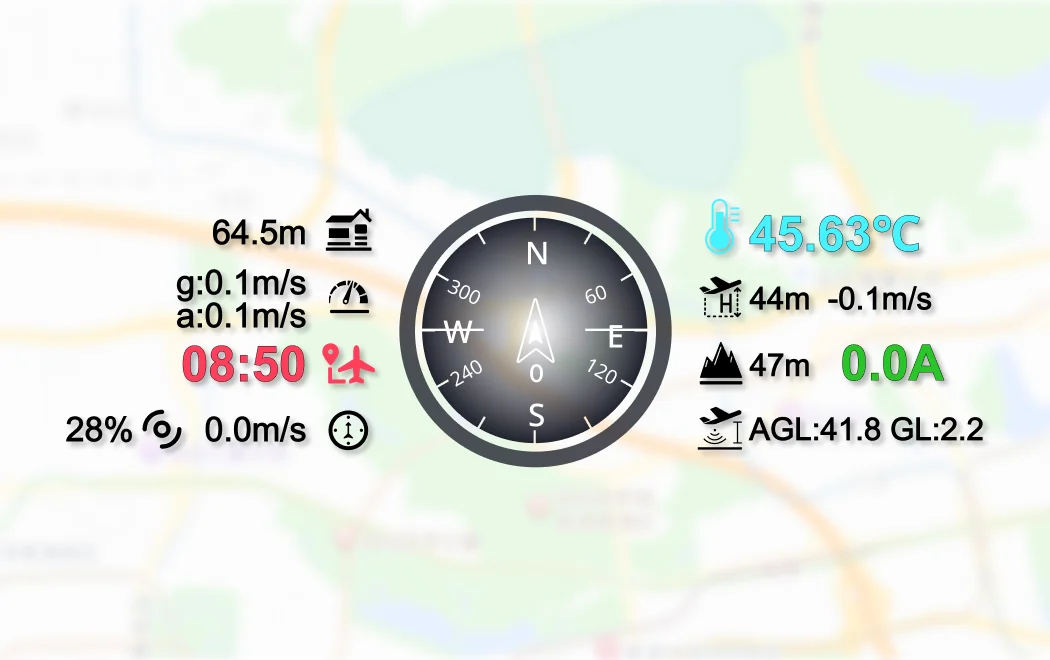
Real-time OSD

Real-time flight data in clear overview, including flight status, low voltage alert, obstacle avoidance alert, flight and vibration messages ensure flight safety and stability.

Flight Controller Parameter Configuration

Through UniGCS, users can configure flight controller's flight, voltage, compass, remote controller, accelerometer and other sensor calibration, providing intelligent flight control and security.

One-button Control

Extremely simplified flight control for easy flying. One-button takeoff, one-button landing, one-button return, one-button to enjoy more efficient and smooth flight experience.

Geofence

Create / Upload / Download / Clear a geofence, customize the cross-border handing methods.

Gimbal Camera Control, Master Overall Situation

HD Image Display

Dual-channel low-latency high-definition video display, adjustable resolution, presenting a delicate and smooth visual experience.

One-Click Camera Control

One-click to trigger multiple functions such as photo capturing, video recording, gimbal control, and thermometric.

Real-Time File Management

Camera file real-time management, supports file browsing, downloading, deleting and other functions.

Integrated Altitude Data

Integrate SIYI optical pod (gimbal camera) with flight controller of their attitude data, and switch flight controller flight mode to guided mode to turn on target follow function.

AI Recognition & Tracking
Accurately Lock Every Moment

UniGCS provides powerful AI recognition and tracking functions, which can perform point-to-track and box tracking to always catch the target. AI models support fast switching among insulators, thermal imaging, smoke, hull, flame, and standard to adapt to various missions. There is also the high-efficiency license plate recognition function.

AI Recognition & Tracking

AI Recognition & Tracking

Point-to-track and box tracking
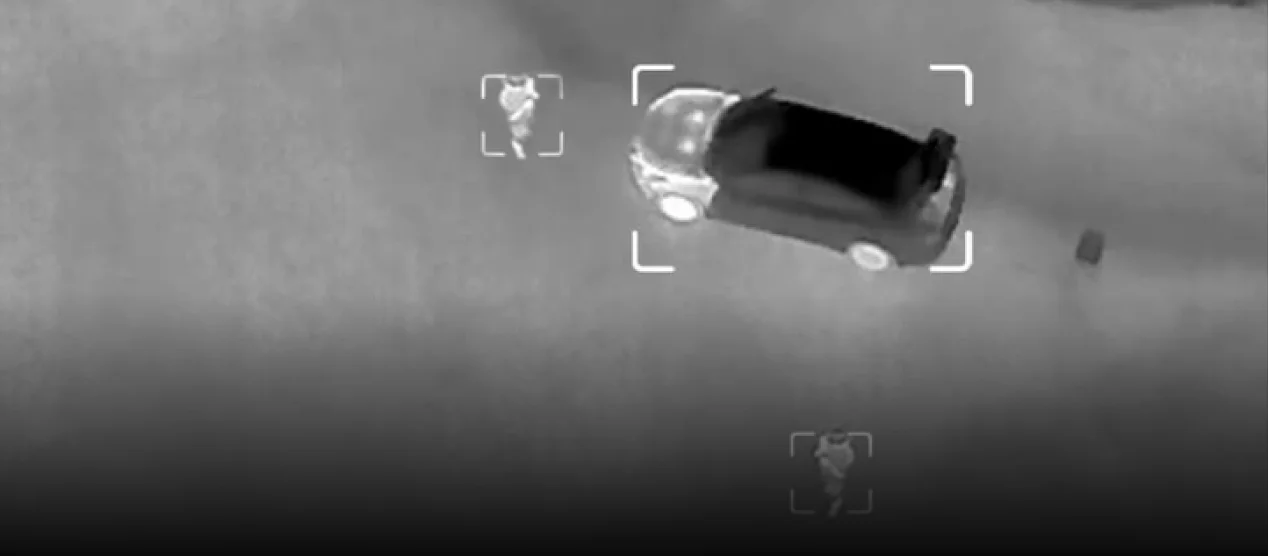
AI Model Switch

AI Model Switch

Support switching between human, car, insulators, thermal imaging, smoke, hull and fire models.
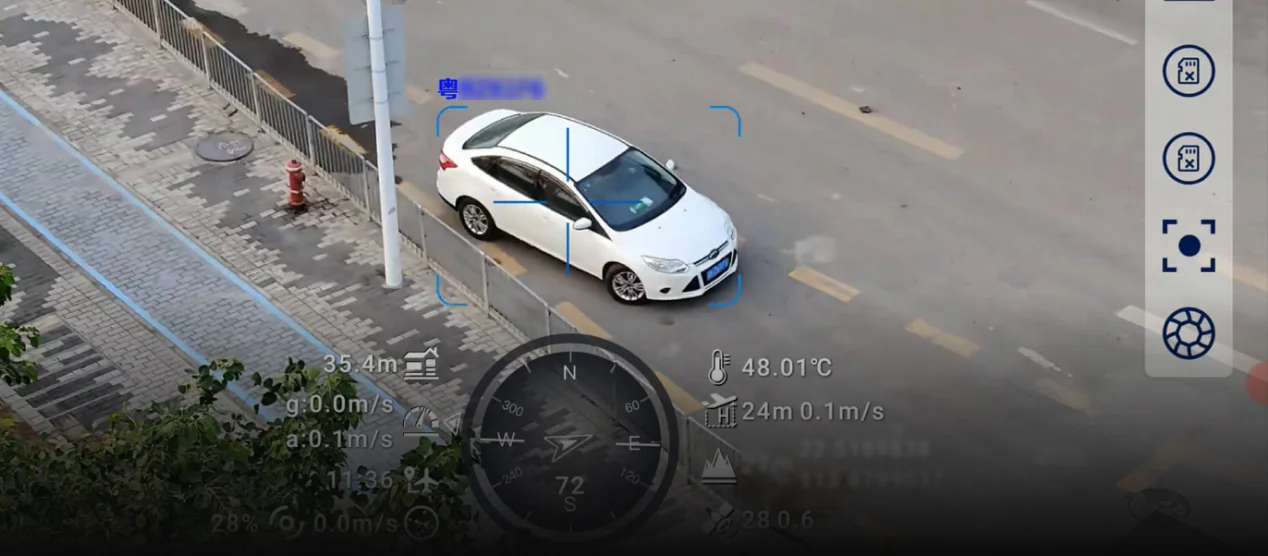
AI License Plate Recognition

AI License Plate Recognition

Enable / disable license plate recognition.

Precise Propulsion System Tuning

ESC Calibration

Based on the ESC model, select the throttle type output by the flight controller, along with the minimum and maximum throttle ranges, ensuring that all ESCs respond uniformly to flight controller signal inputs.

Motor Test

Used to test whether the motors are functioning properly, enabling individual or simultaneous testing of all motors.

ESC Information Display

Display real-time information such as current, voltage, temperature and motor speed of each ESC on the drone, ensure operational safety (ESCs must be equipped with telemetry function).

Multiple Links, Flexible Combinations
image

Support multiple datalink equipment connection methods, RTSP video stream gimbal camera (optical pod), and other equipment.

image

Intelligent fail-safe protection to ensure flight safety.
image

Real-time link status monitoring.

image

Dual operator function, more efficient team collaboration.

Software - UniGCS - Phone - 19.webp

Product Support

Compatible with Mavlink-based products, SIYI & third-party products. Open SDK, help users independently develop software solutions for personalized needs. [1] SDK support will be released later. [2] Picture resolution depends on camera models, please refer to your camera model in actual use. [3] Current version only support vertical route, bevel route will be available in subsequent versions. [4] DEM elevation data does not cover global data, please check the accuracy and security in advance before enabling this function.